
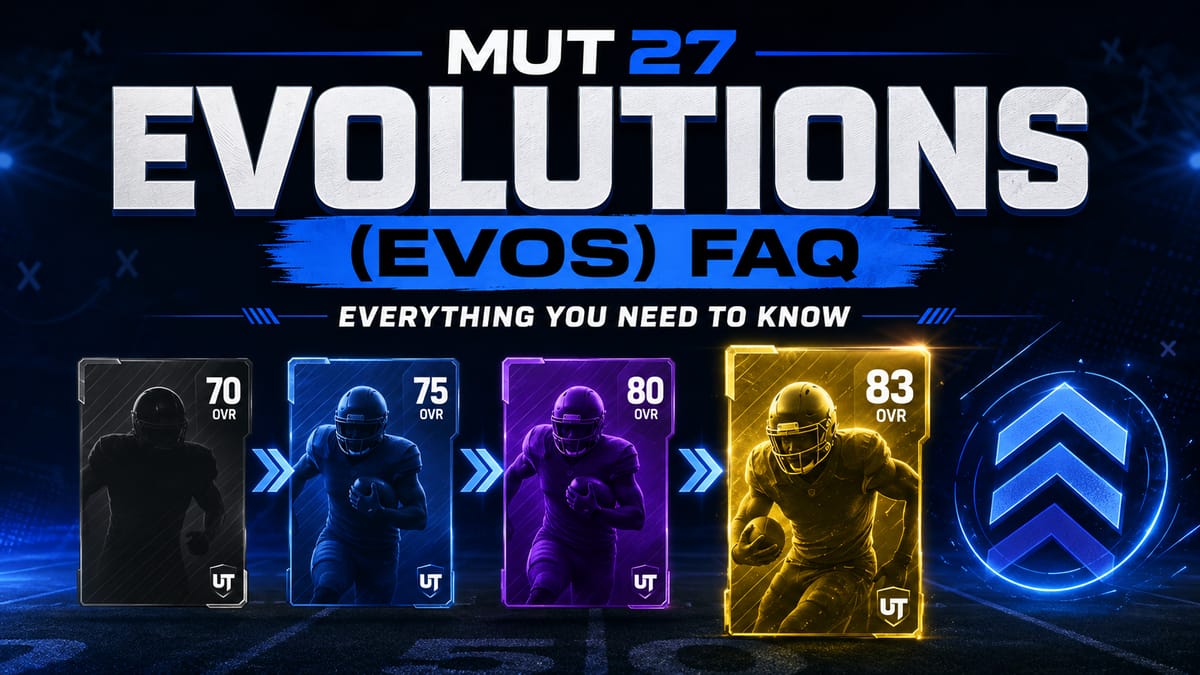

Evolutions, or Evos for short, are a new way to upgrade player items in Madden Ultimate Team by improving their ratings, abilities, chemistry, and more. In many cases, the name of an Evo gives you a good idea of exactly what it will do.
The system is brand new to MUT 27 and will surely evolve as the year progresses, so expect some details to change as we get further from launch.
Similar to the Ultimate Captain, this new feature has already raised plenty of questions in the community, so we've answered the most common ones below.
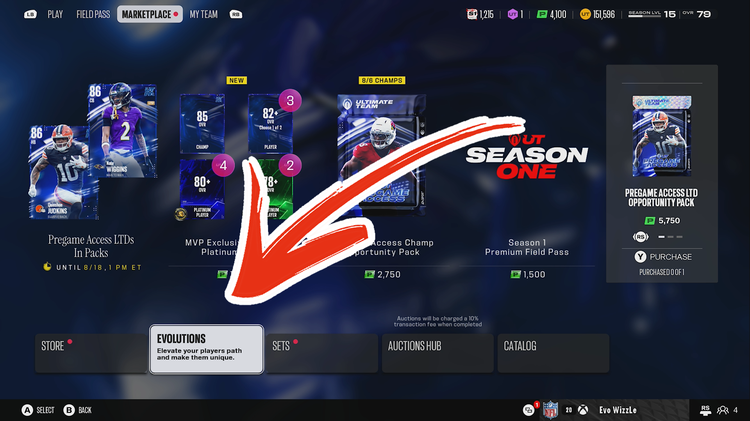
How do I find/access Evos?
Look for the "Evolutions" tile in the Madden Ultimate Team main menu, under the "Marketplace" or "My Team" tab.
How do I unlock/get Evos?
Evos can be obtained in a variety of ways. Some can be purchased directly from the Store for Points, Coins, or Training, while others can be earned by reaching a specific Field Pass level, hitting a milestone in an event, or completing other requirements added by EA.
Some Evos have no unlock requirement at all, such as the Ultimate Captain Evo or the free S1: 32 NFL Team Chemistry Evo currently available in the Store.
To check the requirements for a specific Evo, hover over it in the Evolutions menu and use the right analog stick to view its Access Rules.
What kind of Evos are currently available?
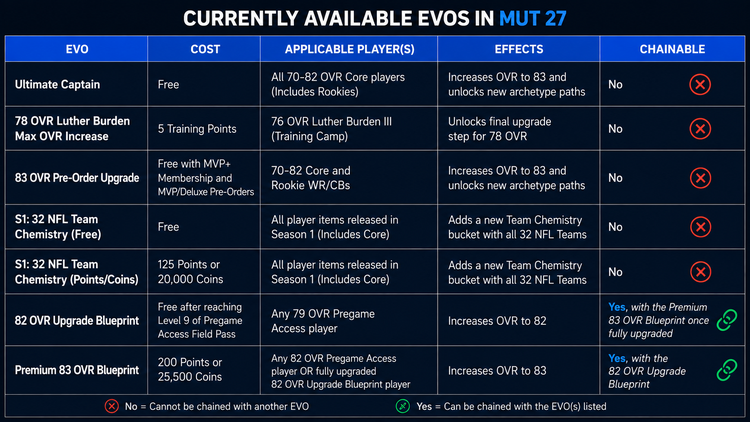
New Evos will be made available in the Store every week and could also be offered as rewards in new programs. At launch, here's what is currently available in the Store:
Who can I apply my Evo to?
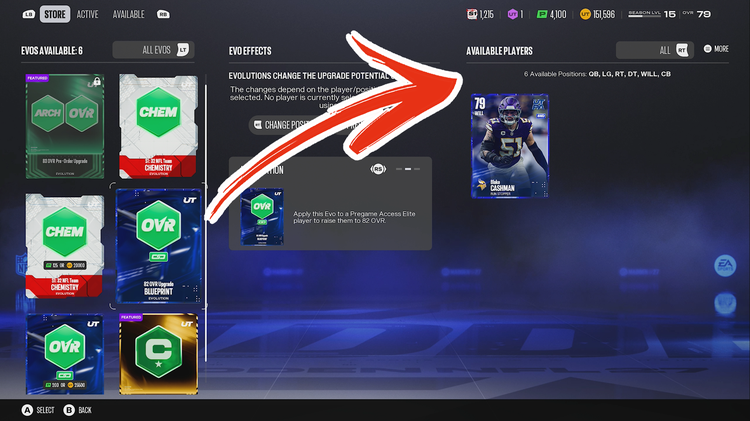
When viewing an Evo item in the Store, use the right analog stick to locate the "information" page. Here you can find a description of which players should be eligible for the Evo you have selected. Eligible players can be restricted by program, OVR, position, or other requirements. If you own players who are eligible for the selected Evo, they will appear on the right side of the screen under "Available Players".
Can I preview an Evo before applying it?
When viewing "Available Players" for an Evo, some effects can be previewed, such as Skill Points Cap, Max OVR Cap, X-Factor Slots, Chemistry Slots, and Attributes Increased (where applicable). Exact attribute increases cannot be previewed since they are random and depend on individual rolls and/or the archetype being upgraded.
What happens to my player after applying an Evo?
Once an Evo has been applied to a player item, the player remains in your binder and reflects the upgrades of the Evo. For attribute upgrades, you may need to earn Skill Points by completing in-game objectives before the player can reach their new OVR cap.
Upgrades can be managed from the Evos menu or the player item itself in your binder. Removing or chaining an Evo (where applicable) must be done from the Evos menu.
Can I change my Evo to a new player later?
Most Evos in MUT 27 cannot be moved to a different player after they have been applied, so make sure you're happy with your selection before committing.
There will be exceptions, such as the Ultimate Captain Evo, which CAN be changed. When selecting an Evo and player, a confirmation message will tell you whether or not that specific Evo can be removed later.
Tip: If you really want to get an Evo back that says it cannot be removed and was purchased from the Store, quickselling or auctioning the player item will send the Evo back to the Store, if it's still available, where it will need to be purchased again at its original price. We are only able to confirm this with Evos currently available in the Store and cannot guarantee it will work with expired Evos or those earned from events or Field Pass rewards.
How do I get Skill Points for upgrades after applying an Evo?
Once an Evo has been applied to a player, open the player's Upgrades tab and complete the objectives found under "Earn." Completing these objectives rewards Skill Points that can be used to upgrade tiers and increase the player's attributes.
What is "chaining" Evos?
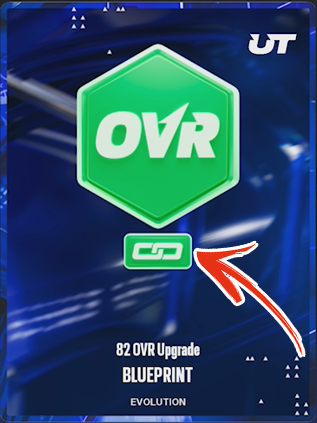
Chaining Evos means applying two or more Evolutions to the same player item. Most Evos cannot be chained, though a few can, with more chainable Evos coming in the future, according to EA. Currently, the only chainable Evos are the 82 OVR Upgrade Blueprint and Premium 83 OVR Blueprint, which can be chained together to upgrade a 79 OVR Pregame Access player to 83 OVR.
How do I know which Evos can be chained?
An Evo is chainable if it has the chain link symbol on the front, as pictured in the image below:
Evos add an entirely new layer to team building in MUT 27, and we're interested to see how the system itself evolves throughout the year. What are your thoughts on the addition of Evos to Madden Ultimate Team 27?

Comments